Beruta: The Powerpoint Template for Every Modern Presentation
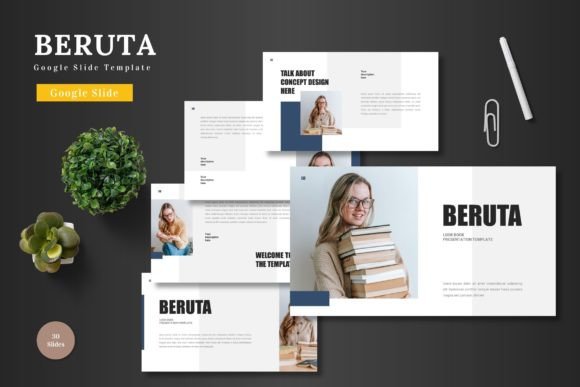
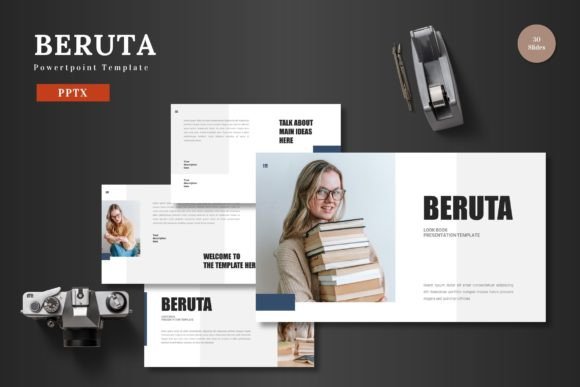
We’ve all been there. The presentation is tomorrow, the content is solid, but the slides look like they were pulled from a 1998 corporate training video. You need to look polished, professional, and on-brand, but you don’t have the time or budget for a custom design agency. This is exactly the problem the Beruta - Powerpoint Template was built to solve. It’s not just a collection of slides; it’s a complete visual toolkit designed to transform your ideas into a compelling, cohesive story.
A Visual Foundation That Works for You
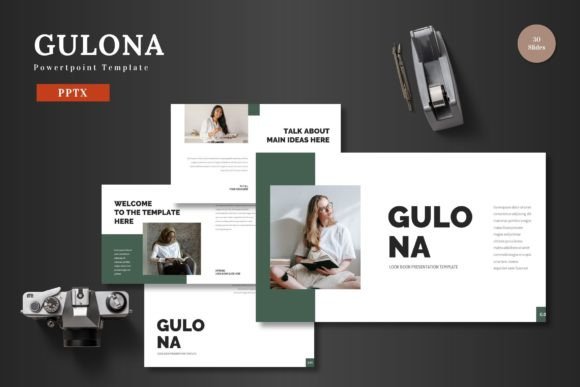
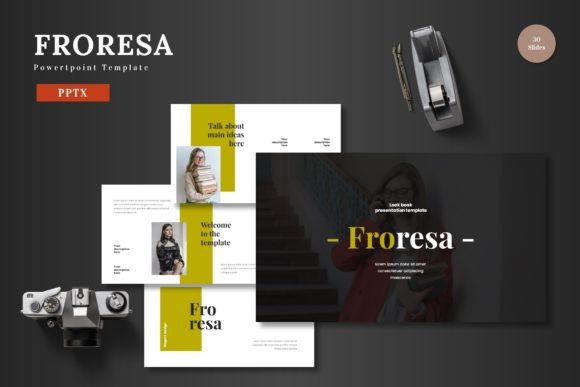
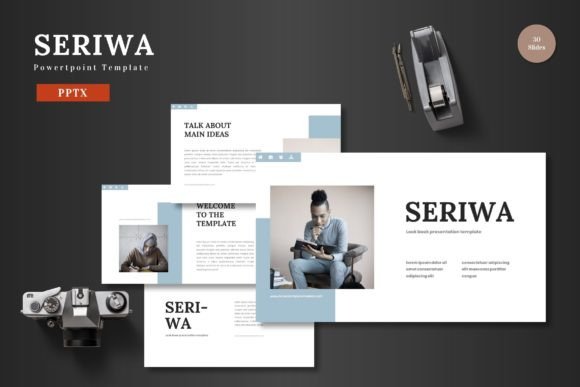
What makes a presentation template truly effective? It’s the balance between structure and flexibility. Beruta provides a robust framework with 150+ total slides organized across 5 premade color schemes. Each of the 5 PPTX files offers 30 meticulously crafted slides, giving you a massive library of layouts to choose from. This isn't about cramming every possible design element onto a single slide. It’s about having the right layout for every type of content, whether you’re introducing a team, showcasing data, or presenting a product gallery.
The visual appeal lies in its clean, scalable, and colorful design. Every element, from the pixel-perfect illustrations to the handcrafted infographics, is built directly within PowerPoint. This means no compatibility issues, no blurry graphics, and no need for external software like Adobe Illustrator. The master slide architecture ensures that any change you make to a core element, like your logo or color palette, can be applied globally with a few clicks, guaranteeing visual consistency throughout your entire deck.
Practical Applications Beyond the Boardroom
While Beruta excels for business pitches and corporate reports, its utility stretches far beyond the traditional slide deck. Think of it as a versatile design asset for any visual communication need.
- Brand & Marketing Materials: Use the clean layouts to create consistent social media graphics for campaign launches. Design sleek digital brochures or product promotion sheets that can be exported as PDFs.
- E-commerce & Product Showcases: The gallery and portfolio slides are perfect for e-commerce entrepreneurs. Drag and drop your product images into the picture placeholders to create beautiful lookbooks or investor decks that highlight your merchandise.
- Educational & Editorial Content: For bloggers, course creators, or educators, the template provides a structured way to present complex information. Break down blog post ideas, outline online course modules, or create engaging editorial layouts for digital guides.
- Personal & Creative Projects: Planning a wedding, a community event, or a personal portfolio? The 5 color variations allow you to match any theme, creating beautiful invitations, event schedules, or a polished showcase of your creative work.
The key is that all of this is done within the familiar environment of PowerPoint. You’re not learning a new, complex design program. You’re simply leveraging a smarter, more professional set of tools within the software you already know.
Designing with Intention: Tips for Maximum Impact
Having a powerful template is the first step. Using it effectively is what makes the difference. Here’s how to get the most out of Beruta and elevate your brand identity.
Start with Your Brand’s Core. Before you dive into slides, define your brand’s visual language. Choose one of the 5 color schemes that best aligns with your logo and brand personality. Use the editable PowerPoint shapes to customize icons and graphics to match your exact brand colors. This creates immediate brand recognition.
Prioritize Readability and Flow. A beautiful slide is useless if the audience can’t read the text. Use the clean layouts to your advantage. Don’t overcrowd slides. Let the section break slides guide your narrative, giving your audience visual pauses. Ensure your text has enough contrast and breathing room. The goal is a professional presentation that communicates clearly, not one that overwhelms.
Pair for Purpose. While the template includes suggested fonts, consider how typography affects your message. A modern, sans-serif font (like the ones likely used in Beruta) conveys clarity and professionalism. Pair it with a complementary serif or script font for headings to add a touch of personality, but always test for readability at a glance.
Leverage the Placeholders. The drag & drop picture placeholders are your best friend. They ensure your images are perfectly cropped and aligned every time. Use high-quality, relevant images that tell a story. For a product launch, use crisp product shots. For a team slide, use professional headshots. This attention to detail builds trust and audience engagement.
The Final Slide: Efficiency Meets Elegance
In the end, the Beruta - Powerpoint Template is about saving you time without sacrificing quality. It removes the friction from the design process, allowing you to focus on what truly matters: your message. Whether you’re a small business owner securing funding, a marketer launching a new campaign, or a creative entrepreneur showcasing your portfolio, this template provides the professional presentation framework you need. It’s a practical, powerful tool for anyone who needs to communicate ideas visually with confidence and style. All you have to do is input your content, and you’re ready to present your slides to the world.