Seriwa: A Multipurpose PowerPoint Template for Modern Business
You’ve been there before. It’s the night before a major client pitch, a crucial investor meeting, or a big product launch presentation. You open PowerPoint, stare at the default, sterile white slide, and a wave of creative paralysis washes over you. The content is solid, the strategy is sound, but the delivery feels… flat. A great idea deserves a great stage, and for many of us, that stage is a slide deck. The difference between a presentation that captivates and one that merely informs often comes down to design. It’s about visual storytelling, professional polish, and the confidence that comes from knowing your visuals are working just as hard as your words.
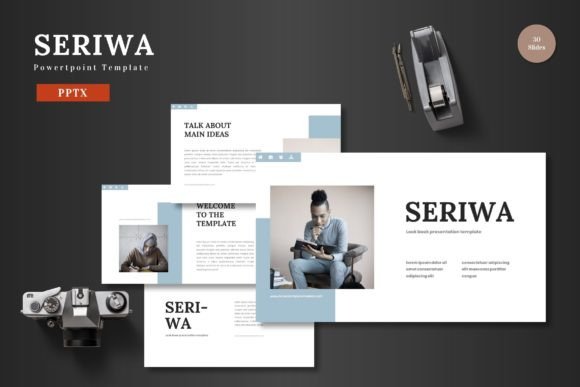
This is the challenge the Seriwa - PowerPoint Template was built to solve. It’s not just a collection of pre-made slides; it’s a comprehensive design system packaged for the world’s most accessible presentation software. Think of it as a professional design toolkit that lives entirely within PowerPoint, requiring no other software like Photoshop or Illustrator. The core promise of Seriwa is professional-grade design made simple. It’s built on a foundation of clean lines, scalable vector shapes, and a vibrant yet sophisticated color palette, making it a versatile asset for anyone from a startup founder to a seasoned marketing director.
More Than Just Slides: A Visual Identity System
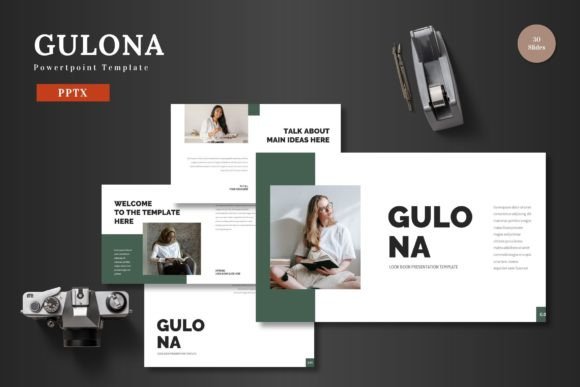
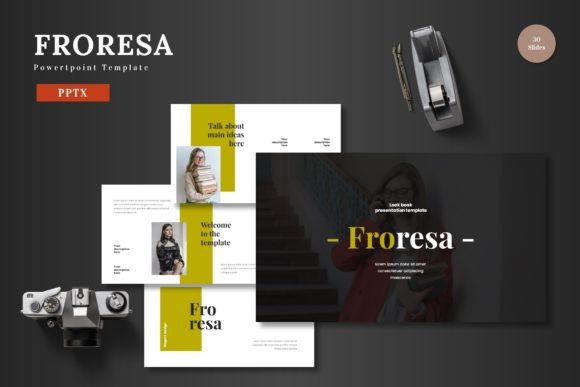
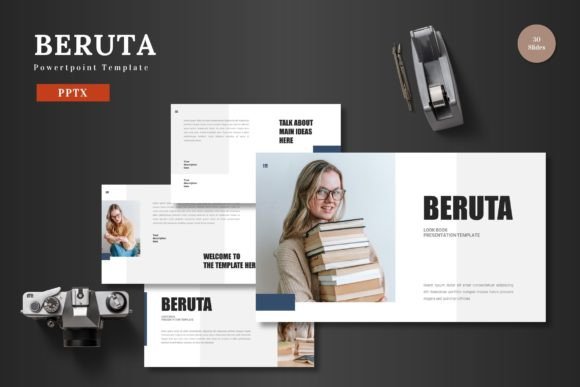
What makes a template truly valuable? It’s the ability to adapt. The Seriwa template understands that a business pitch deck has different needs than a portfolio showcase or an e-commerce product launch. This is where its structure shines. With over 150 total slides spread across five premade color schemes, you’re not just getting one look; you’re getting five distinct visual personalities to start with. Each color variation offers 30 meticulously designed slides, giving you the building blocks for any narrative.
The practical benefits are immediate. Instead of spending hours aligning text boxes and adjusting color hex codes, you can focus on your message. Every single element is editable directly in PowerPoint. Need to change the primary brand color? A few clicks on the master slide, and the entire presentation transforms. Want to add your own product photos? The template uses intuitive picture placeholders. Simply drag your image file onto the slide, and it automatically crops to fit the designated shape, maintaining perfect alignment and professional consistency throughout. This is a game-changer for maintaining visual consistency across a 20, 50, or even 100-slide deck—a critical component of strong brand identity.
Practical Applications for Every Project
The true test of any design asset is its real-world utility. Let’s break down how a resource like Seriwa can elevate specific projects, moving beyond generic "business use" into tangible applications.
- Brand & Marketing Presentations: For a pitch deck, first impressions are everything. The clean, modern typography and handcrafted infographics in Seriwa help convey complex data with clarity and style. Animated slides can be used to reveal key points sequentially, guiding your audience’s attention and making your narrative more compelling. For ongoing marketing reports, the consistent design framework ensures your monthly updates look as polished as your initial pitch, reinforcing professional presentation standards.
- E-commerce & Product Promotion: Launching a new product line? Use the dedicated portfolio and gallery slides to create stunning visual showcases. The pixel-perfect illustrations can be repurposed to highlight product features, while the clean layouts ensure your product photography remains the hero. For a direct-to-consumer brand, a beautifully designed PowerPoint can double as a digital lookbook or a sales sheet for retail partners.
- Internal Communications & Training: Good design isn’t just for external audiences. Transform dry internal training manuals or quarterly business reviews into engaging visual documents. The variety of slide types—section breaks, timeline graphics, comparison charts—helps structure information logically, improving comprehension and retention for your team.
- Social Media & Digital Content: Think beyond the traditional presentation. A single, well-designed slide can be exported as a high-resolution image for an Instagram carousel, a LinkedIn post, or a blog header. Use the infographic slides to create shareable data graphics for your social media graphics feed, establishing your authority in your niche. The scalability of the vector shapes means these graphics will look crisp on any screen.
This adaptability also extends to personal projects. A crafter could use it to design a workshop proposal or a portfolio for their handmade goods. A blogger might create a visually cohesive media kit. The underlying principle is the same: using structured, professional design to communicate more effectively, whether the goal is closing a sale, educating a team, or inspiring an audience.
Design Intelligence Built In
One of the most overlooked aspects of a high-quality template is the thought behind its construction. Seriwa is built upon Master Slides, the backbone of any efficient PowerPoint workflow. This means you can make global changes to fonts, colors, and logos in one central place, and those changes will ripple through your entire presentation. This isn’t just a time-saver; it’s a safeguard against design inconsistencies that can make a presentation look amateurish.
The inclusion of section break slides is another subtle but powerful feature. They provide visual pauses in your presentation, helping to organize your content into digestible chapters and giving your audience a mental reset. This structural consideration is a hallmark of thoughtful editorial design principles applied to a business context.
Furthermore, all graphics are not only resizable but fully editable. This is a crucial distinction from templates that use locked, rasterized images. In Seriwa, you can ungroup a vector infographic and change individual colors, adjust chart data, or modify icons to better fit your specific content. This level of control empowers you to create a truly custom feel without starting from scratch, blending the efficiency of a template with the uniqueness of a custom design.
Getting the Most From Your Template
Having a powerful tool is one thing; using it effectively is another. To maximize the value of a resource like the Seriwa template, consider these practical steps:
- Start with Your Content: Before you even open the file, outline your key messages and data. Know your story. Then, browse the slide library to find the layouts that best support each section of your narrative. Don’t force content into a slide that doesn’t fit; let your message guide your choice of visual framework.
- Embrace the Color Schemes: Use the five provided color variations as inspiration. One might be perfect for a corporate client, another for a creative startup. You can also use them as a starting point and customize the theme colors to match your exact brand palette using PowerPoint’s design tools.
- Font Pairing and Readability: The template will come with recommended fonts, as noted in the included readme file. For maximum impact, stick to one or two complementary typefaces—a clean sans-serif for body text and a more distinctive one for headlines. Always prioritize readability; ensure your text has sufficient contrast against its background and is large enough to be read from the back of a room.
- Think in Systems: Once you’ve customized a color scheme and set your fonts, save that version as your own custom theme. This creates a reusable brand identity toolkit for all future presentations, ensuring every deck you create feels cohesive and on-brand, which is fundamental for building brand recognition.
In the end, the goal of any presentation is connection. It’s about translating your ideas, your data, and your passion into a format that resonates. A thoughtfully designed template like Seriwa doesn’t do the work for you, but it removes the biggest barriers to great design. It provides the professional canvas, the organized structure, and the visual polish, freeing you to focus on what you do best: telling your story. It’s about presenting your slides—and your ideas—to the world with confidence and clarity. Cheers to that.