Master Your Pitch: The Cimporong Google Slide Template
We have all been there: staring at a blank presentation slide at 2 AM, trying to align text boxes and struggling to make a generic stock photo look professional. Whether you are a freelancer pitching a new client, a startup founder seeking investors, or a marketer presenting a quarterly strategy, the visual medium of your presentation is just as important as the data inside it. A cluttered, inconsistent, or amateurish slide deck can distract your audience and undermine your credibility before you even get to your main point. This is where having a robust design asset library becomes not just a luxury, but a necessity for effective visual communication.
A Versatile Toolkit for Modern Visual Storytelling
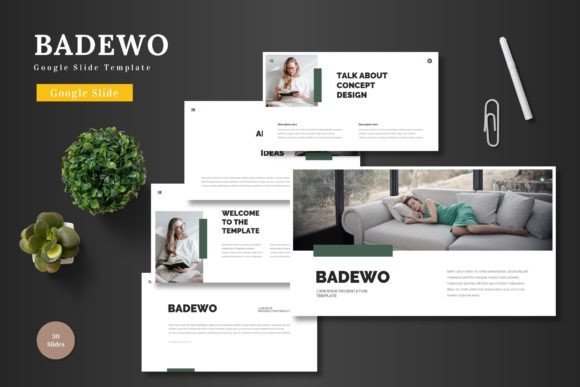
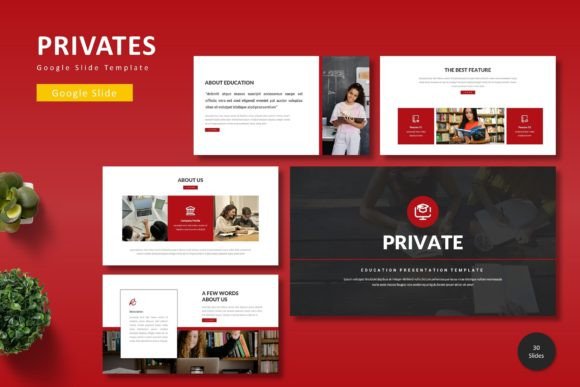
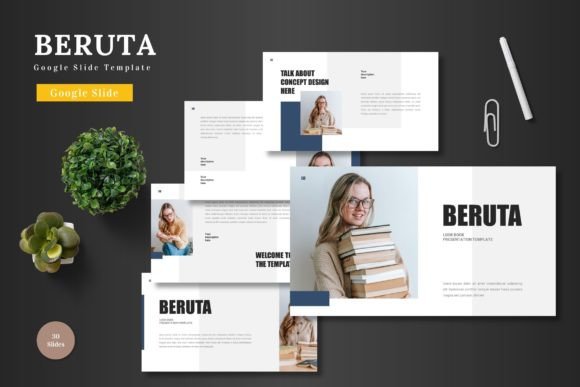
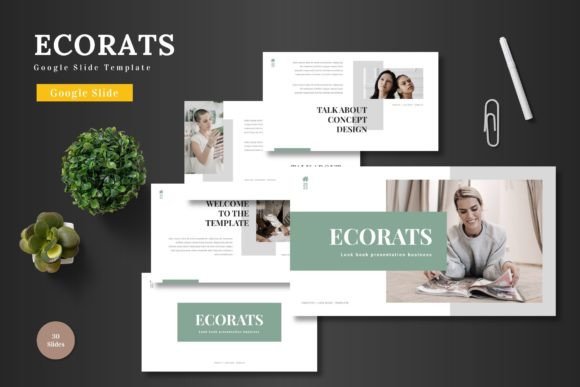
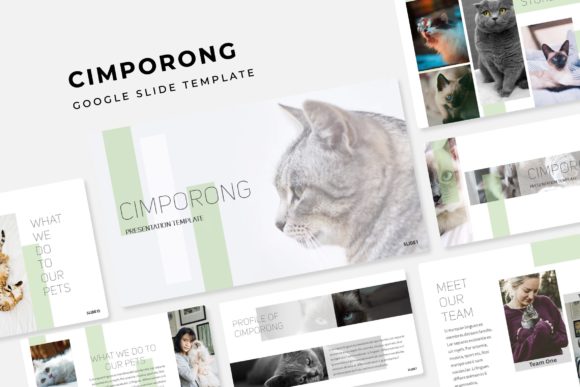
The Cimporong Google Slide Template is designed to solve the "blank canvas" problem by offering a comprehensive system rather than just a few static pages. It is a premium font-style presentation resource that functions as a complete design toolkit. The package includes 150+ total slides, ensuring that you have enough variety to handle complex projects without repeating layouts. What makes this particular template stand out in a crowded market of design assets is its focus on structure and color theory. Instead of forcing you to manually recolor elements—a tedious task that often leads to clashing hex codes—it offers 5 premade color variations. Each variation provides 30 carefully curated slides, giving you a cohesive aesthetic right out of the box. This structure allows for rapid prototyping and editing, which is essential for fast-paced environments where time is money.
Strategic Color Variations for Brand Identity
For small business owners and brand strategists, color is not merely decoration; it is a psychological trigger. The inclusion of 5 distinct color palettes within the Cimporong package is a strategic advantage. It allows you to match the presentation to specific brand guidelines or marketing campaigns. For instance, you might use a deep, professional blue variation for a corporate finance pitch, but switch to a vibrant, high-contrast palette for a social media marketing proposal. This flexibility supports the creation of a strong brand identity. By utilizing these premade variations, you ensure visual consistency across your slides, which is a key factor in audience retention. When the colors are harmonious, the audience focuses on the message, not the design flaws.
Practical Applications Beyond the Boardroom
While the primary use case is clearly business presentations, the utility of the Cimporong Google Slide Template extends far beyond corporate meetings. The pixel-perfect illustrations and handcrafted infographics make it a powerful tool for a variety of creative projects. Consider how this template could be repurposed for:
- Portfolio Showcases: The gallery and portfolio slides are specifically designed to highlight work without distraction. Photographers, graphic designers, and web developers can use these layouts to create a digital lookbook that is easy to share via link.
- Digital Products and E-books: Content creators and bloggers can export the slides as PDFs to create lead magnets, digital planners, or visual guides. The drag-and-drop picture placeholders make it easy to incorporate high-quality imagery.
- Editorial Layouts: For those involved in publishing, the section break slides provide a clean way to transition between chapters or topics, making the content feel like a polished editorial design rather than a slideshow.
- Client Onboarding: Service-based businesses can use the template to create a "Welcome Packet" that explains their process, pricing, and terms. This elevates the client experience immediately.
Streamlining Workflow with Master Slides
One of the most significant technical advantages of this package is its construction based on Master Slides. For anyone who has tried to edit a poorly constructed template, you know the frustration of changing a font on one slide only to find it hasn't updated on the others. Master Slides ensure that global changes—like updating a logo or changing a font style—can be done in one place and applied throughout the entire deck. This feature is a massive time-saver for marketing teams working on large campaigns. Furthermore, the "Readme First" file included in the package is a thoughtful touch, guiding users through the setup process and providing links to the free fonts used. This eliminates the guesswork regarding typography and ensures that the rendering of the text remains exactly as the designer intended.
Infographics and Data Visualization
In the age of information overload, data visualization is a critical skill. The Cimporong template includes handcrafted infographics that allow you to turn raw data into compelling narratives. Whether you are displaying market growth, user demographics, or workflow processes, these editable graphics provide a professional framework. Unlike generic chart tools in presentation software, these infographics are designed with aesthetic appeal in mind, blending modern typography with clean vector graphics. This helps in improving audience engagement; a well-designed chart is more likely to be remembered and understood than a spreadsheet screenshot. The resizable nature of these graphics also means they can be used in other marketing assets, such as blog posts or social media graphics, maintaining a consistent visual language across all your platforms.
Maximizing the Asset: Tips for Designers and Entrepreneurs
To get the most out of this design asset, it helps to approach it with a strategy. First, consider your font pairing. While the template comes with a specific aesthetic, you may want to swap fonts to better match your brand voice. Because the file is based on Master Slides, you can easily test different serif or sans-serif combinations to see what improves readability for your specific audience. Second, use the section break slides strategically to give your audience a mental pause. This is particularly useful in longer presentations or webinars where attention spans can wane.
Third, do not overlook the picture placeholders. These are designed for drag-and-drop functionality, which is incredibly intuitive even for those without advanced design skills. By utilizing high-resolution images that match the color palette of the slide variation you have chosen, you create a seamless, editorial-quality look. Finally, remember that this is a commercial font and template package. This means you are licensed to use it for client work, merchandise, and digital products, making it a sound investment for creative entrepreneurs looking to scale their output without sacrificing quality.
Ultimately, the goal of any visual communication tool is to remove barriers between your idea and your audience. The Cimporong Google Slide Template achieves this by providing a structured, flexible, and visually striking foundation. It allows you to focus on what you do best—whether that is coding, designing, writing, or selling—while ensuring that the vehicle for your message looks polished and professional. In a competitive landscape, that level of polish can be the deciding factor in winning a pitch or engaging a follower.