Mastering the 820x360 Canvas: A Designer's Guide
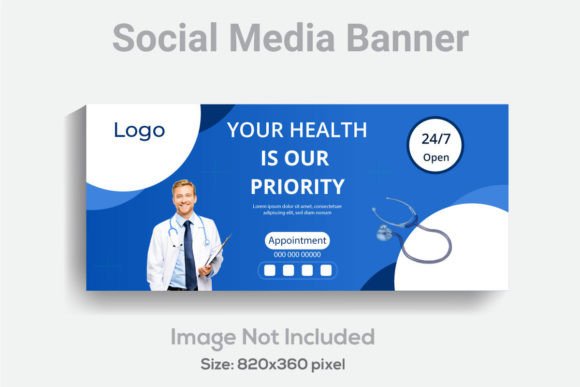
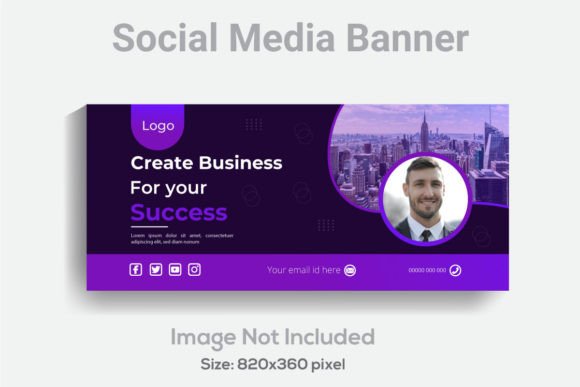
There is a specific pressure that comes with the "cover photo" real estate. Whether it is for a LinkedIn company page, a Twitter header, or a Facebook profile, that top-of-the-fold image sets the immediate tone for your entire digital presence. However, the challenge isn't just making it look pretty; it is the technical headache of getting text and graphics to display correctly across different devices without being cropped awkwardly or pixelated. This is precisely why having a robust, professional starting point is not just a luxury—it is a necessity for anyone serious about their online branding. A well-constructed Social Media Banner Template designed specifically in the 820x360 pixel format solves the most common design frustrations before you even open your software.
The Technical Foundation: Why Specs Matter
When we talk about professional design assets, the specifications are the skeleton upon which the flesh of creativity hangs. You might have the most brilliant marketing slogan or a stunning product photo, but if the resolution is wrong, the final output looks amateurish. This template set is built on a foundation of 300 DPI resolution. In the world of digital design, 72 DPI is the standard for screen viewing, but 300 DPI is the gold standard for print and high-definition displays. By working at this density, you ensure that your social media graphics remain crisp and sharp, even if you decide to repurpose the design for a physical banner or a high-resolution digital display.
Furthermore, the RGB Color design space is essential. Unlike CMYK, which is used for traditional offset printing, RGB offers a broader spectrum of colors suited for the glowing screens of our monitors and smartphones. This ensures that your brand colors—those specific blues, oranges, or greens that define your identity—pop with vibrancy rather than looking muddy or washed out. It is this attention to technical detail that separates a quick mock-up from a premium font and design asset experience.
Unpacking the Design Files: AI, EPS, and JPG
A common pain point for small business owners and content creators is receiving a design file they cannot actually edit. You download a beautiful image, realize you need to change the phone number or the headline, and find yourself stuck with a flattened JPEG. This template package circumvents that frustration by including three distinct file formats: an Ai File, an Eps file, and a JPG.
The Adobe Illustrator (.Ai) file is the powerhouse here. It requires a minimum version of Adobe Illustrator CS6, which ensures compatibility with modern features while remaining accessible to long-time users. The beauty of the Ai file lies in its structure; it is well layered and organized. This isn't a jumbled mess of vectors; it is a clean workspace where text elements are separated from background shapes. This organization is vital for brand identity work, allowing you to isolate specific elements without disrupting the rest of the composition.
The EPS file serves as the universal translator. If you are using older software or different vector-based programs like CorelDRAW, the EPS ensures you can still access the fully editable vectors. The inclusion of a high-quality JPG provides a quick preview or a direct upload option if the text is already perfect for your needs. This versatility makes it a valuable asset in any design assets library.
Typography and Editability: The Heart of the Template
Typography is often the silent hero of good design. In this Social Media Banner Template, the text, fonts, and colors are fully editable. This is crucial because typography carries the voice of your brand. The template likely utilizes a modern typography aesthetic—perhaps a clean sans serif font for headers paired with a legible body text—which is a versatile starting point for almost any industry.
However, the real value is in the flexibility to change it. If you are a luxury brand, you might want to swap the existing font for an elegant serif font to convey tradition and trust. Conversely, if you are running a bakery or a lifestyle blog, importing a whimsical script font or a handwritten font can instantly soften the look and make it feel more personal. Because the text is editable in the vector file, you are not locked into the designer's original choice. You have the creative freedom to align the typeface with your specific logo design and overall brand identity.
Practical Applications Beyond the Header
While the primary use case is a social media header, limiting this template to just that one function underutilizes its potential. The 820x360 aspect ratio is a powerful composition tool that translates well to various marketing assets.
- Website Banners: The dimensions are ideal for a hero image on a website landing page. You can use it to announce a sale, introduce a new service, or feature a "Meet the Team" section.
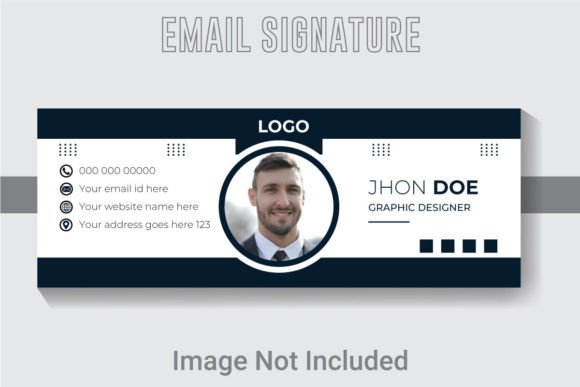
- Email Signatures: A resized version of this banner can act as a professional email header, reinforcing your brand every time you send a message.
- Presentation Slides: For those who frequently give pitches or webinars, this wide format works beautifully as a title slide background or a divider slide.
- Print Materials: Thanks to the 300 DPI resolution, you can adapt the design for packaging design strips, posters, or invitations. Imagine using the design elements to create a cohesive look for a physical event where the digital invite matches the physical signage.
- Editorial Layouts: If you are a publisher or blogger, the clean layout can serve as a feature image for editorial design, breaking up text and adding visual interest to long-form articles.
This adaptability makes it a cost-effective solution for entrepreneurs and marketers who need to maintain a consistent visual language across multiple platforms without hiring a designer for every single asset.
Enhancing Visual Consistency and Brand Recognition
One of the biggest hurdles in digital marketing is fragmentation. Your Instagram looks different from your LinkedIn, which looks different from your website. This creates a disjointed experience for your audience. Using a standardized template helps bridge that gap. When you use this 820x360 template as a baseline, you establish a consistent frame for your messaging.
Consistency breeds familiarity, and familiarity breeds trust. When a returning visitor sees your familiar color palette and font pairing, they instantly recognize your content amidst the noise of their feed. This is the essence of visual consistency. It aids in audience engagement because the user doesn't have to re-learn who you are every time they see a post. They see the style, they recognize the brand, and they are more likely to stop scrolling and engage.
Design Best Practices for the 820x360 Format
Working with a wide, horizontal canvas requires a different mindset than designing for a square Instagram post or a vertical Story. Here are a few practical tips to get the most out of this template:
1. Hierarchy is King: In a wide format, the eye naturally scans from left to right (in Western cultures). Place your most critical information—your value proposition or headline—on the left or center. Supporting visuals can anchor the right side.
2. The "Safe Zone" Awareness: On platforms like Facebook or YouTube, profile pictures often overlap the bottom-left corner of the cover photo. Even though this is a generic Social Media Banner Template, always keep essential text and logos away from the very edges to ensure they aren't cut off or obscured by platform UI elements.
3. Font Pairing Strategy: If you are swapping out the fonts, pay attention to contrast. If you use a bold, heavy display font for the header, pair it with a lighter, cleaner sans serif font for the sub-header. This creates a visual hierarchy that improves readability and guides the viewer's eye through the information naturally.
4. Negative Space: Don't feel compelled to fill every pixel. The 820x360 format has a lot of real estate. Leaving "breathing room" around your text elements makes the design look more professional and easier to digest. A cluttered banner often signals a cluttered business strategy to the viewer.
Final Thoughts on Asset Management
For the hobbyist or the seasoned graphic designer, the value of a well-organized file cannot be overstated. The fact that this package includes free font used information (assuming the fonts are free for commercial use) is a massive bonus. Always double-check the licensing for the specific fonts included to ensure they cover your intended use, whether it's for merchandise, digital products, or client work.
Ultimately, this template is more than just a background image; it is a tool for professional presentation. It removes the technical barriers of resolution and file compatibility, allowing you to focus on what matters: your message. Whether you are launching a new product, refreshing your web design, or simply trying to make your social channels look more cohesive, having a reliable, high-resolution, and fully editable starting point is the smartest way to ensure your visual communication hits the mark every time. It turns the daunting task of "updating the banner" into a quick, creative, and enjoyable part of your workflow.