Special Menu Instagram Post: A Designer's Quick-Start Guide
You’ve just finalized a stunning new seasonal dish or a limited-time offer for your café. The ingredients are perfect, the presentation is flawless, and you’re ready to share it with the world. But how do you translate that delicious experience into a single, scroll-stopping image on Instagram? A simple photo might get lost in the feed, and a generic graphic template won’t capture the unique vibe of your brand. This is where the right design asset becomes indispensable, transforming a good idea into a compelling visual story that drives engagement and sales.
Beyond the Plate: Crafting a Cohesive Visual Story
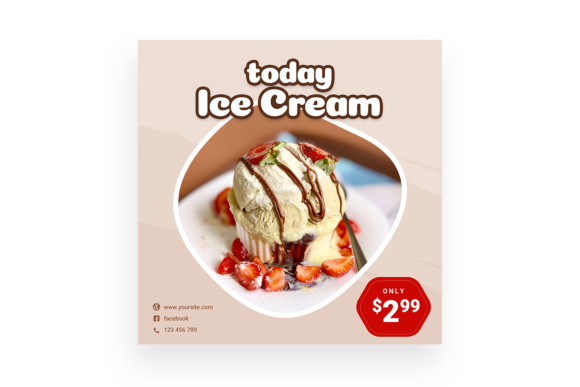
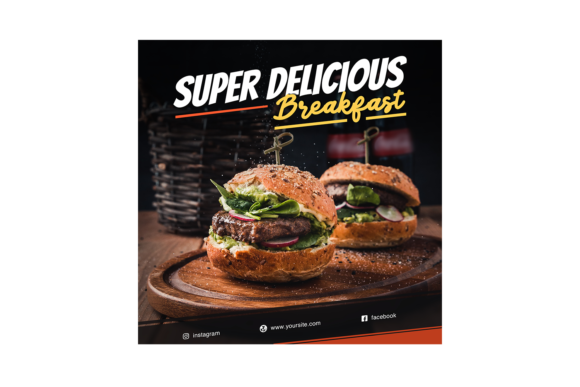
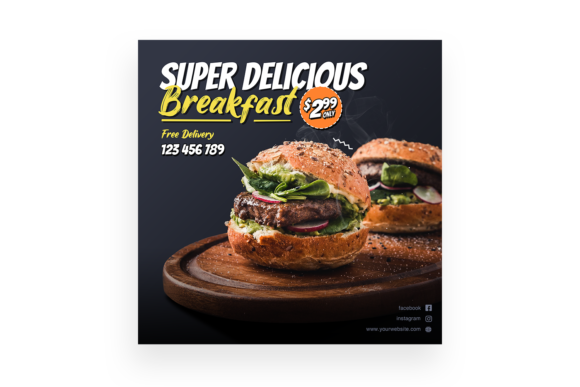
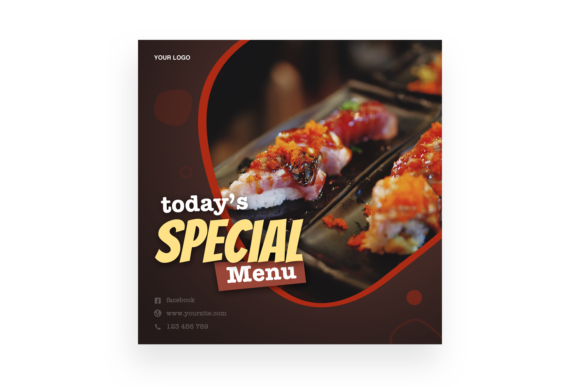
The "Special Menu" Instagram Post template is more than just a digital flyer; it’s a pre-designed canvas built for culinary storytelling. At its core, it’s a high-resolution, layered PSD file designed specifically for the food and beverage industry. The visual appeal lies in its balanced composition, which guides the viewer’s eye from an enticing food photograph (which you’ll supply) to the key details: the dish name, a brief description, and a call to action. The typography is intentionally chosen to feel both modern and inviting, striking a balance that works for a trendy brunch spot, a fine-dining establishment, or a cozy bakery. The design avoids visual clutter, using clean lines and strategic white space to let your food photography be the hero.
What truly sets this asset apart for a working designer or business owner is its practicality. The feature of Smart Object Replacement is a game-changer. Instead of struggling with clipping masks and layer alignment, you simply double-click the designated smart layer, paste your food image, save, and the template automatically applies all the perfect perspective warps, shadows, and effects. This means a process that could take 20 minutes of manual tweaking is reduced to a single, satisfying click. For a small business owner managing their own social media, this saves invaluable time while ensuring a professional result that doesn't look like a cookie-cutter Canva template.
From Social Media to Full-Scale Branding
While the name specifies "Instagram Post," the utility of this design extends far beyond a single social platform. The 3000×3000 pixel resolution is a major asset, providing ample quality for repurposing. Imagine using the same core design for:
- Printed Table Tents or Menus: Export the final design as a high-quality PDF for in-house printing, creating a seamless transition from your digital promotion to the physical experience at the table.
- Website Banners: Resize and reformat the key elements for a homepage banner announcing your new special, maintaining visual consistency across all customer touchpoints.
- Email Marketing Headers: A cropped version of the design can become the header for a newsletter blast, driving traffic from your email list directly to your Instagram post or reservation page.
- Story Highlights or Reels Covers: The aesthetic can be adapted to create cohesive covers for your Instagram Story Highlights, reinforcing your brand identity in multiple areas of your profile.
This adaptability is crucial for building strong brand recognition. When a customer sees the same visual language—consistent typography, color palette, and compositional style—across your Instagram, your website, and your in-store materials, it builds subconscious trust and professionalism. The editable and organized layers in the PSD file make this repurposing straightforward. You can easily isolate the text elements, swap color overlays to match a new seasonal palette, or adjust the layout for a different format without breaking the design.
Practical Tips for Making the Template Your Own
Having a powerful template is one thing; using it effectively is another. Here’s how to ensure your final post aligns with your brand and marketing goals:
Font Pairing is Key: The template likely includes a primary display font for the dish name and a secondary, more readable font for details. Before finalizing, consider your brand’s personality. Is your brand voice playful? A script or handwritten accent font might work. Is it sleek and modern? A clean sans-serif companion would be ideal. Test pairings within the template to see what feels authentic. The "Read Me.txt" file included with your download will specify the fonts used, allowing you to maintain consistency in other materials.
Color Story: Don’t just accept the default color scheme. Use the easy-to-edit layers to change background colors, text colors, or graphic accents to match your brand’s hex codes. A cohesive color story is one of the fastest ways to build recognition. A moody, dark background might suit a steakhouse, while a bright, airy palette could be perfect for a juice bar.
Photography is Paramount: The template is a frame, but your food is the art. Ensure your product photo is well-lit, sharply focused, and styled to highlight the dish’s best features. The Smart Object will place it perfectly, but a mediocre photo will still yield a mediocre result. Shoot from the angle the template is designed for (often a slight overhead or 45-degree angle) for the most integrated look.
Clear Call to Action: What do you want people to do? "Order Now," "Book a Table," "Available This Weekend Only"? Use the text layers to make this action unambiguous. A strong CTA transforms passive viewers into engaged customers.
A Smart Investment for Consistent, Professional Output
For the creative entrepreneur or marketing manager, assets like the Special Menu template are about efficiency and quality control. It eliminates the "blank canvas" paralysis and provides a proven, visually appealing structure to work within. This is particularly valuable for maintaining a high-volume, high-quality social media presence without needing to commission a custom graphic for every single promotion. It’s a commercial font and design solution that empowers you to act as your own designer, ensuring your brand’s visual communication remains sharp, engaging, and true to its identity across every special you create.