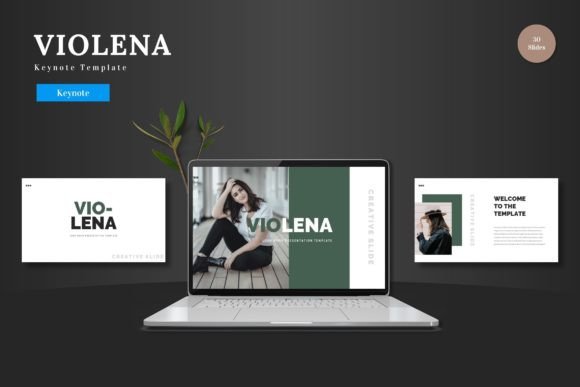
Violena: A Keynote Template for Clean, Professional Presentations
You know that feeling when you open a blank presentation file? The cursor blinks on an empty slide, and the pressure to create something polished and professional from scratch can be paralyzing. For entrepreneurs, marketers, and creators, a presentation isn't just a set of slides; it's a pitch, a proposal, a story that needs to land. This is where a thoughtfully designed template like Violena shifts from a nice-to-have to a genuine workflow accelerator. It’s a starting point that respects your time and elevates your message.
Beyond Just Slides: A Foundation for Visual Consistency
Violena is more than a collection of pretty slides. It’s a structured system built on Keynote master slides, which is the secret to maintaining a cohesive brand identity throughout your deck. When you edit a master slide—changing a font, adjusting a color palette, or positioning a logo—that change cascades through every relevant slide in your presentation. This ensures your final product looks intentionally designed, not haphazardly assembled. For a small business owner presenting to investors or a creator pitching a collaboration, this built-in consistency screams professionalism and attention to detail.
The template includes over 150 slides across five premade color schemes. This variety isn't just about aesthetics; it's about functionality. A deep navy and teal palette might convey trust and innovation for a tech startup pitch deck, while a warm terracotta and cream scheme could perfectly frame a artisan bakery's product launch. Having these cohesive palettes ready to go means you spend less time debating color codes and more time refining your narrative.
Practical Design for Real-World Projects
Where Violena truly demonstrates its value is in its practical applications. Consider these scenarios:
- Pitch Decks & Business Proposals: The clean, scalable graphics and structured slide layouts are ideal for breaking down complex business models, financial projections, or market analysis into digestible visual pieces. The included infographic elements help transform dry data into a compelling visual story.
- Product Launches & E-commerce: The gallery and portfolio slides are perfect for showcasing product lines, feature highlights, or customer testimonials. The picture placeholders allow you to simply drag and drop your own product shots, instantly creating a high-impact lookbook or catalog presentation.
- Marketing & Social Media Strategy: Use the template to build a visual content calendar, outline a campaign rollout, or present social media analytics to your team. The modern typography and clean layouts ensure your strategy is communicated with clarity.
- Internal Training & Workshops: For onboarding new team members or conducting a workshop, the structured slides and section breaks help organize information logically. You can maintain a professional company aesthetic while delivering educational content.
The fact that every element is editable directly within Keynote is a major advantage. You don't need to learn new software or hire a designer for simple tweaks. Changing colors to match your brand hex codes, swapping in your own images, and adjusting text is straightforward. This accessibility empowers you to maintain control over your brand's visual assets.
Making the Template Your Own
Getting the most out of a template like Violena involves a few simple but crucial steps. First, before you even open the file, define your core message and audience. Are you persuading, informing, or inspiring? This will guide your content and slide selection.
Next, dive into the customization. Don't just replace the placeholder text with your own words. Use the master slide view to set your brand's primary and secondary fonts. If Violena's suggested typeface doesn't align with your brand identity, swap it out for one that does. Ensure your logo is placed consistently. The goal is to make the template feel like it was built specifically for you.
Pay close attention to the handcrafted infographics. These are powerful tools, but they need to be used with purpose. Don't overload a slide with every chart type available. Choose the one graphic that best simplifies your specific data point—a pie chart for market share, a timeline for milestones, an icon list for features. This selective approach keeps your presentation focused and impactful.
Finally, rehearse with your slides. A beautiful presentation can fall flat if the flow is awkward. Use the section breaks to create natural pauses in your narrative. Test the animated slides to ensure they enhance rather than distract from your talking points. The best presentations feel like a seamless conversation between you and your audience, with the visuals supporting your story at every turn.
In the end, a resource like Violena - Keynote Template is about removing friction from the creative process. It provides a professional, adaptable canvas that lets your content shine. Whether you're a startup founder securing funding, a marketer launching a new initiative, or a freelancer pitching your services, starting with a solid, well-designed foundation allows you to focus on what truly matters: the story you need to tell and the connection you want to make.