Remuro: A Keynote Template That Actually Works as Hard as You Do
Let's be honest: most of us have sat through presentations that look like they were assembled in a rush, with clashing colors, inconsistent layouts, and text so small it's unreadable from the back of the room. Whether you're pitching to investors, showcasing a new product, or sharing quarterly results, the visual quality of your slides speaks before you do. That's where a thoughtfully designed Keynote template changes the game—and Remuro is one that deserves a closer look.
Why Slide Design Matters More Than You Think
There's a common misconception that content alone carries a presentation. While your ideas matter, research in visual communication consistently shows that audiences retain information better when it's presented in a clean, organized, and visually engaging format. A cluttered slide with five different fonts and a rainbow of colors doesn't just look amateur—it actively works against your message.
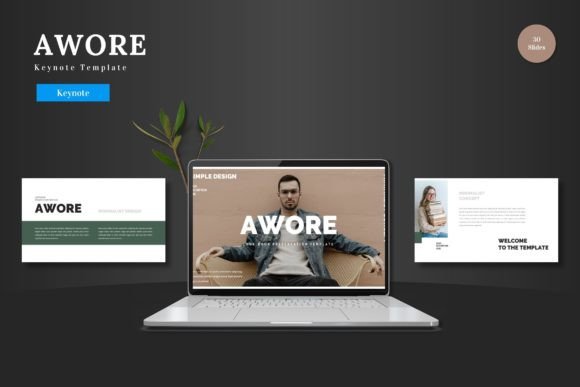
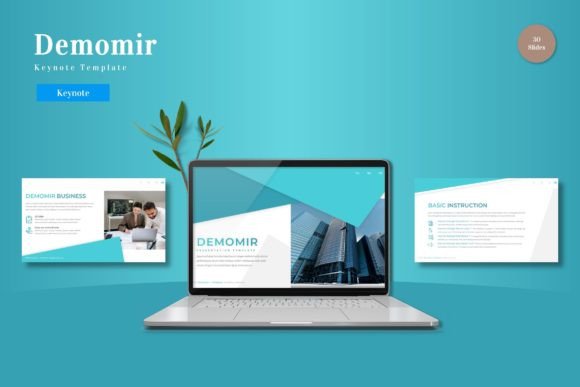
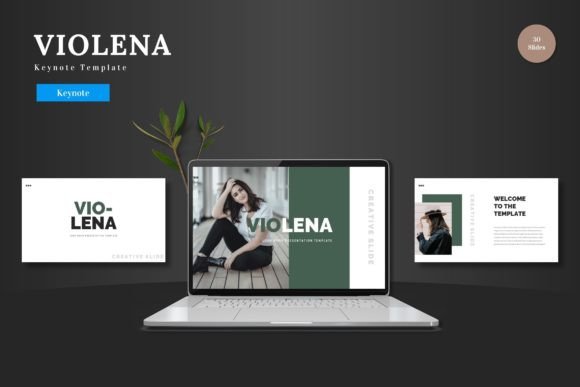
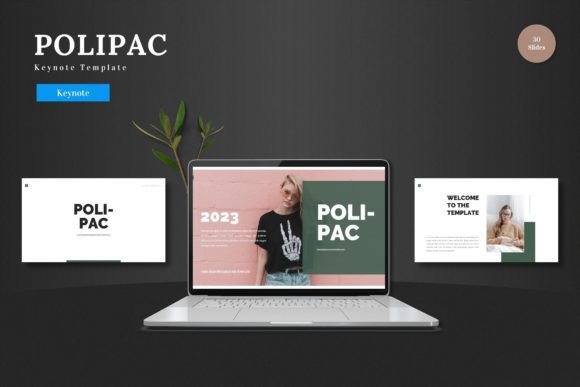
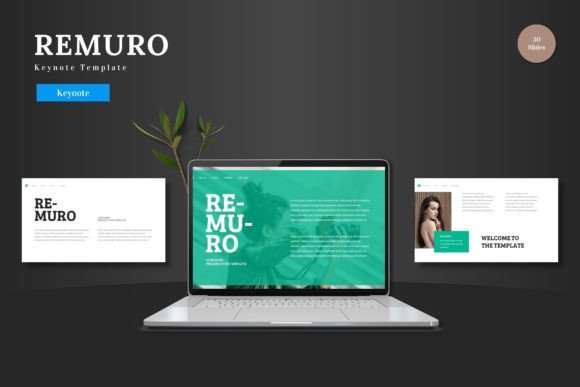
Remuro addresses this by offering a structured yet flexible framework. With over 150 total slides spread across five premade color schemes, you're not starting from a blank canvas. Instead, you're working within a system that's already been designed with visual hierarchy, breathing room, and professional aesthetics in mind. Each of the five templates includes 30 slides, giving you enough variety to cover everything from data-heavy reports to image-driven storytelling.
What Makes This Template Stand Out
One of the most practical aspects of Remuro is that everything stays within Keynote. You don't need to switch between Photoshop, Illustrator, or any external software to customize your slides. Every element—shapes, charts, icons, text boxes—is fully editable directly in Keynote. This matters for small business owners and solo entrepreneurs who may not have access to a full design suite or the time to learn new tools.
The template includes pixel-perfect illustrations and handcrafted infographics that are both resizable and editable. If you've ever tried to stretch a low-resolution icon and ended up with a blurry mess, you'll appreciate this. The drag-and-drop picture placeholders also streamline the process of adding your own images. Rather than manually cropping and resizing photos, you simply drop your image into the designated area, and the template handles the rest.
Section break slides are another thoughtful inclusion. These act as visual pauses in your presentation, helping your audience mentally shift between topics. It's a small detail, but it makes a significant difference in how polished your final presentation feels.
Practical Uses Beyond the Boardroom
While Remuro is clearly built for business presentations—pitch decks, product launches, e-commerce strategies—its versatility extends further than that. Content creators can use it to design visual guides or workshop materials. Marketers might repurpose slides into social media carousels by exporting individual frames. Educators and coaches could build course modules or client onboarding decks that look professional without hiring a designer.
Think about how often you need to communicate ideas visually: a brand guideline overview for a new client, a product catalog for a pop-up shop, or a portfolio showcase for a freelance gig. Having a reliable template with multiple color variations means you can adapt the same base design to different brands, seasons, or campaigns without starting from scratch each time.
The five included color schemes are particularly useful here. Rather than being locked into a single palette, you can choose the variation that best fits your brand or your client's identity. This kind of flexibility is what separates a one-time-use template from a long-term design asset.
Design Consistency and Brand Recognition
One of the biggest challenges for growing businesses is maintaining visual consistency across different materials. Your pitch deck should feel like it belongs to the same brand as your website, your social media graphics, and your printed brochures. When every touchpoint looks cohesive, it builds trust and recognition with your audience.
Remuro is based on master slides, which means changes you make to the master layout automatically cascade throughout the entire presentation. This is a massive time-saver and ensures that fonts, colors, and spacing remain uniform. If you've ever spent an hour fixing inconsistent slide numbers or realigning headers one by one, you know exactly how valuable this feature is.
For entrepreneurs managing their own branding, this consistency translates directly into a more professional image. You don't need a design degree to create slides that look like they came from an agency. The template does the heavy lifting, letting you focus on the message.
Choosing the Right Approach for Your Project
Not every presentation needs every slide in the template. Part of using a resource like Remuro effectively is knowing which slides to include and which to leave out. A pitch deck for investors might lean heavily on data visualizations and milestone timelines, while a product showcase would prioritize gallery and portfolio slides.
Take time to plan your narrative before you start dragging and dropping content. What's the single most important takeaway for your audience? Build your slide sequence around that central idea. Use section breaks to signal transitions, and don't overcrowd individual slides with too much information. The template's clean layouts are designed to support one idea per slide—trust that design principle.
Also consider your audience's viewing context. Will they be watching on a large screen in a conference room, or reviewing the deck on a laptop during a video call? The widescreen format included in the five PPTX files is optimized for modern displays, but you'll want to test font sizes and image clarity at the resolution your audience will actually experience.
Getting the Most Out of Your Investment
The included readme file with font and photo information is worth reading before you dive in. Knowing which fonts are used in the template helps you maintain consistency if you decide to create supplementary materials outside of Keynote. Matching fonts across your presentation, email headers, and social posts reinforces your brand identity in subtle but powerful ways.
While the template is designed for Keynote, the underlying design principles—clean typography, balanced layouts, strategic use of color—apply universally. Even if you eventually move some of your visual assets to other platforms, the thinking behind Remuro's structure can inform how you approach design in any context.
For anyone who regularly creates presentations, whether for clients, stakeholders, or their own audience, having a reliable template library is one of the smartest investments you can make. It reduces the friction of starting from zero, elevates the baseline quality of your output, and frees up mental energy for the work that actually matters: refining your ideas and connecting with the people in the room.